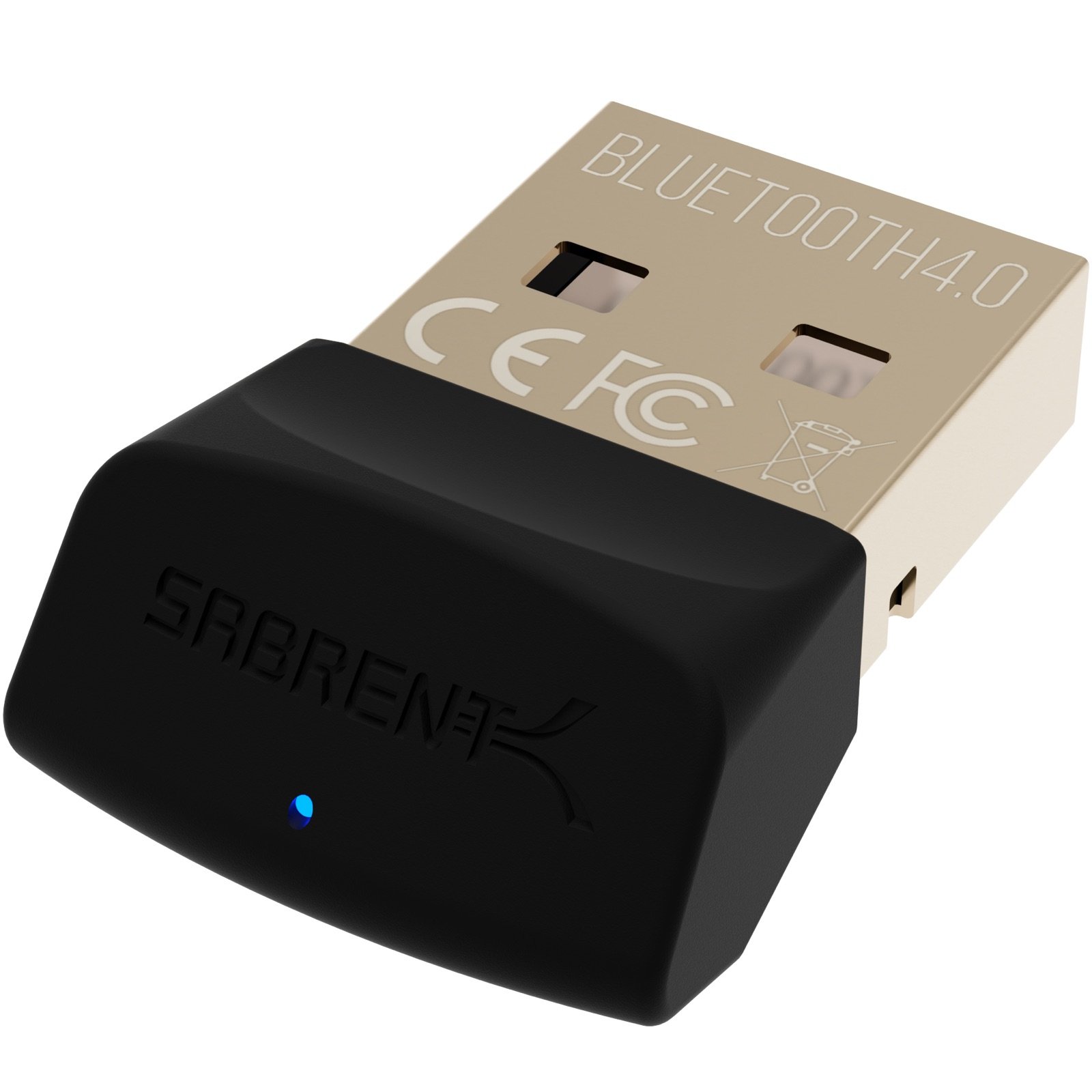
The SABRENT USB Bluetooth 4.0 Micro Adapter review is for PC owners who need a straightforward way to add Bluetooth connectivity for a phone or headset.
Its small USB Type-A format and Bluetooth 4.0 support suit basic wireless tasks, while the Class 2 specification makes it important to consider your device placement and range needs.
SABRENT Micro Adapter Review Summary
The quick verdict
3,000+ ratings
Read Amazon ReviewsSABRENT USB Bluetooth 4.0 Micro Adapter
A compact USB Bluetooth option for PC owners who want to connect a phone or headset and can work within Bluetooth 4.0 Class 2 capabilities.
- USB Type-A connector for use with a compatible PC.
- Bluetooth 4.0 Class 2 specification with low energy technology.
- Backward compatibility listed for Bluetooth versions 3.0, 2.1, 2.0, and 1.1.
- Can enable wireless connectivity between a laptop and a cellular phone.

Pros
- A simple USB approach to adding Bluetooth connectivity to a compatible computer.
- Supports several earlier Bluetooth versions alongside Bluetooth 4.0.
Consider before buying
- Bluetooth 4.0 Class 2 is an older, defined design tier, so it may not match buyers seeking newer Bluetooth technology.
- No distance figure is provided; check whether your computer and accessory can be positioned close enough for your intended use.
Read the full review summary
This adapter focuses on a narrow, practical job: adding Bluetooth to a computer through USB Type-A. It supports Bluetooth versions 4.0, 3.0, 2.1, 2.0, and 1.1, and includes low energy technology.
The listed uses include connecting a Bluetooth headset to a PC, linking a laptop with a cellular phone, and accessing an internet connection through a Bluetooth-enabled phone or PC.
That makes the SABRENT a plausible fit for someone with an older computer or a specific Bluetooth accessory to connect, particularly when a simple adapter is preferable to a more elaborate receiver.
Its Bluetooth 4.0 Class 2 specification is a meaningful boundary: buyers who want newer Bluetooth technology or a configurable antenna may prefer a different design.
Before buying, check that your operating system and intended devices work with the adapter.
The buying factors
SABRENT Micro Adapter Scorecard
Editorial scores reflect listed features and buyer fit; they are not laboratory measurements or customer ratings.
Basic Bluetooth expansion
USB Type-A and support for several Bluetooth generations give it a focused role as a way to add wireless connectivity to a PC.
Version coverage
Bluetooth 4.0 with backward support through version 1.1 addresses a range of older and 4.0-compatible devices.
Low energy support
Low energy technology is included, making the feature set relevant to compatible accessories designed for that mode.
Connection flexibility
The described uses cover both a Bluetooth headset and a cellular phone connection, including phone-based internet access.
Range-oriented design
Class 2 is specified, but the product description does not provide a distance figure or an adjustable antenna.
Setup clarity
The adapter’s purpose is clear, though buyers should confirm operating-system compatibility for their particular computer.
Key Features and Specifications of SABRENT Micro Adapter
- USB Type-A connector for use with a compatible PC.
- Bluetooth 4.0 Class 2 specification with low energy technology.
- Backward compatibility listed for Bluetooth versions 3.0, 2.1, 2.0, and 1.1.
- Can enable wireless connectivity between a laptop and a cellular phone.
- Described for connecting a Bluetooth headset to a PC.
- Can be used to access internet through a Bluetooth mobile phone with GPRS/CDMA or a Bluetooth-enabled PC with an internet connection.
Pros and Cons of SABRENT Micro Adapter
Pros
- A simple USB approach to adding Bluetooth connectivity to a compatible computer.
- Supports several earlier Bluetooth versions alongside Bluetooth 4.0.
- The described applications include both headset connections and phone-to-computer use.
- Low energy technology is part of the specified Bluetooth feature set.
Consider before buying
- Bluetooth 4.0 Class 2 is an older, defined design tier, so it may not match buyers seeking newer Bluetooth technology.
- No distance figure is provided; check whether your computer and accessory can be positioned close enough for your intended use.
- Operating-system support is not detailed, so confirm compatibility with your computer before purchase.
Who Should Buy SABRENT Micro Adapter?
Good fit
Consider this adapter if you have a USB Type-A computer and want to add Bluetooth for a compatible headset or cellular phone.
Its broad backward-compatibility list may be useful when the devices you need to connect use earlier Bluetooth generations.
It may also suit a modest setup where the computer and Bluetooth device will be near each other.
Match the listed Class 2 design to your use, and verify that your operating system supports the adapter before relying on it for a particular device or connection.
Who should skip it
Look elsewhere if your priority is a newer Bluetooth generation, a long-range-oriented design, or an adjustable antenna. Those requirements call for features beyond the adapter’s described Bluetooth 4.0 Class 2 format.
Skip it if you cannot confirm compatibility with your computer or need a defined operating distance for a room-scale setup. The product details do not specify a distance figure.
How the SABRENT Micro Adapter fits a PC setup
A focused way to add Bluetooth
The adapter’s role is straightforward: it connects through USB Type-A and is intended to enable Bluetooth functions on a computer.
That can be useful when a PC needs to work with an existing headset or phone, without changing the rest of the setup.
Version support and device matching
Bluetooth 4.0 support, backward compatibility through version 1.1, and low energy technology give buyers several compatibility details to check against their devices.
The practical question is whether the adapter’s supported Bluetooth versions and the computer’s operating system align with the accessories and tasks you have in mind.
Keep the Class 2 boundary in mind
Class 2 is part of the product’s stated specification, but no distance measurement is provided. For a desk setup, consider where the computer and accessory will sit, and check whether their placement suits the connection you need.
Phone connectivity has specific uses
The listed applications include linking a laptop with a cellular phone and using a Bluetooth phone’s GPRS/CDMA connection for internet access.
These are use cases to compare with your phone plan and computer setup; the adapter does not by itself replace the phone’s cellular service or an internet connection.
Alternatives to SABRENT Micro Adapter
One useful alternative is included because it offers a distinct version and antenna design for the same PC Bluetooth-adapter need.
Bluetooth Network Adapters alternative
1,000+ ratings
Read Amazon ReviewsTP-Link UB500 Plus USB Bluetooth Adapter
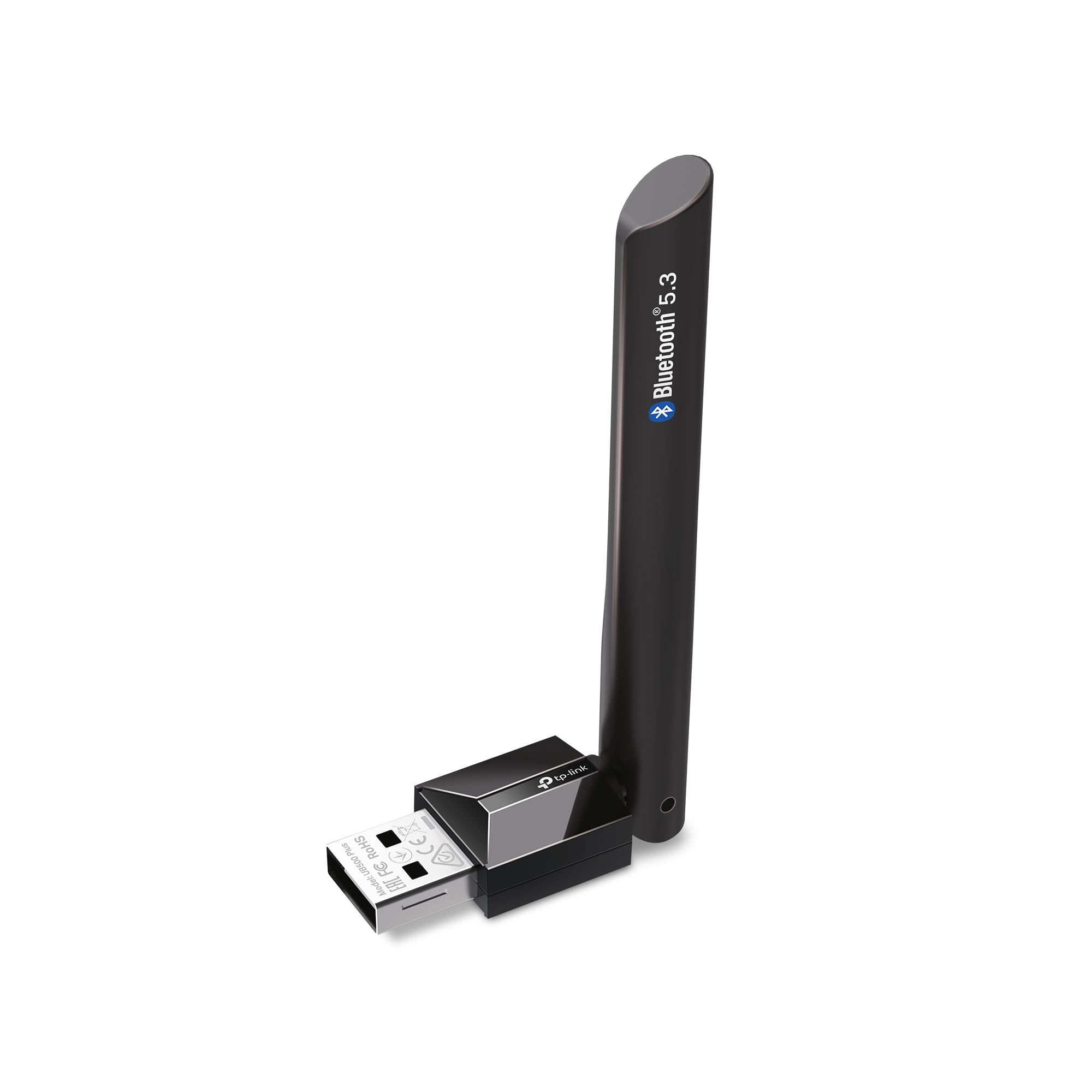
Choose the SABRENT if its Bluetooth 4.0 capability suits your devices and you want a basic USB adapter. Consider the TP-Link if you value its newer Bluetooth version, antenna adjustment, or its specifically listed Windows support.
- The TP-Link UB500 Plus offers Bluetooth 5.3 with EDR and low energy technology, an adjustable multidirectional antenna, and plug-and-play support for Windows 8.1, 10, and 11; Windows 7 requires a driver.
- The SABRENT adapter uses Bluetooth 4.0 Class 2 and includes low energy technology, with uses centered on PC connections to phones and headsets.
Is SABRENT Micro Adapter Worth It?
The SABRENT USB Bluetooth 4.0 Micro Adapter is worth considering for a compatible USB Type-A PC when your goal is to connect a Bluetooth headset or phone and Bluetooth 4.0 meets your needs.
Its backward compatibility and low energy support make the core feature set useful for a straightforward setup.
Check operating-system compatibility and consider your device placement before choosing it.
Buyers who want Bluetooth 5.3, a more adjustable reception setup, or clearly specified Windows compatibility should compare the TP-Link UB500 Plus; for basic connectivity with older Bluetooth devices, the SABRENT remains a focused option.
Your review at a glance
3,000+ ratings
Read Amazon ReviewsSABRENT USB Bluetooth 4.0 Micro Adapter
A compact USB Bluetooth option for PC owners who want to connect a phone or headset and can work within Bluetooth 4.0 Class 2 capabilities.
- USB Type-A connector for use with a compatible PC.
- Bluetooth 4.0 Class 2 specification with low energy technology.
- Backward compatibility listed for Bluetooth versions 3.0, 2.1, 2.0, and 1.1.
- Can enable wireless connectivity between a laptop and a cellular phone.